
7 Benefits of Mood Boards: What Design Research Shows
Updated September 2026
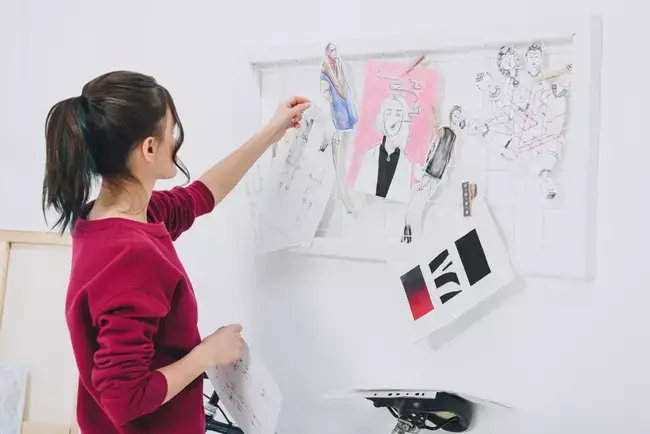
Mood boards are single arrangements of images, colours, fonts, textures and a few words that show how a project should look and feel before anyone designs it. They have seven benefits. They save time by settling direction early, gather inspiration in one place, turn a vague brief into a clear vision, make changes cheap and expected, build trust with clients, become reference material for later projects and keep a project on course. Design researcher Andrés Lucero groups what mood boards do into five roles: framing, aligning, paradoxing, abstracting and directing. A shared online whiteboard such as HuddleIQ lets a remote team and its client build one together.
This guide is for the designer or marketing lead who has just been handed a loose brief such as “modern, but warm”. The client is in another city, the team is spread across two time zones, and everyone needs to agree what the work will look like before production starts. Each benefit below is tied to published research and then to a specific step you can take on a shared board.
What is a mood board?
A mood board is a visual arrangement of images, colours, type, textures and short descriptive words that shows the intended style or feeling of a project. It is made at the start, before layouts, prototypes or products exist.
The University of Notre Dame’s Remix design course defines mood boards as “arrangements of visual elements such as images, colors, fonts, textures, patterns, descriptive language, and other visual elements which evoke a conceptual style, or mood” (University of Notre Dame, Remix: Mood Board). Nielsen Norman Group’s Lillian Yang is shorter: “A mood board is a collage of images, video frames, patterns, or text that convey a certain feeling at a glance” (Nielsen Norman Group, February 2023).
Andrés Lucero, whose research on mood boards is among the most cited in the field, adds a second party to the definition. He describes mood boards as “an idea development tool used by designers and their clients to communicate, think, and share their different views that emerge from the design brief” (Lucero, Mood Board + AR research page). The phrase “and their clients” matters. A mood board is a shared object that two sides use to reach one picture of the result, not a private sketchbook.
Mood boards can be physical, with pinned printouts and fabric swatches, or digital, on a canvas everyone can open from anywhere. Nielsen Norman Group treats both as valid and notes that teams can build a board together in real time or add to it asynchronously (NN/g). HuddleIQ is an online whiteboard, so this guide focuses on the digital kind and on teams that do not share a room.
What are the 7 benefits of mood boards?
Each of the seven benefits of mood boards matches one of Lucero’s five roles, and each one maps to something you can do on a shared board. We built the table below, the Five-Role Mood Board Map, from Lucero’s roles, Nielsen Norman Group’s guidance, a 2025 design-education study and HuddleIQ’s product documentation.
| Benefit | Lucero role | What the source says | How to do it on a HuddleIQ board |
|---|---|---|---|
| 1. Saves time | Directing | NN/g: use them to reach consensus on visual style before prototypes | Put two or three directions side by side and vote with Polls & Voting |
| 2. Gathers inspiration | Abstracting | Lucero: juxtapose concrete and abstract imagery | Upload to the Library or paste image links straight onto the board |
| 3. Refines the vision | Framing | Lucero: defines the limits of the design task | Sort images into keep / maybe / cut containers |
| 4. Allows modifications | Paradoxing | Torri et al., 2025: 60% of students made six or more boards before the final one | Restore earlier versions with Board History |
| 5. Stronger client relationships | Aligning | Lucero: aligns the different stakeholders | Invite the client, then use comments and on-board video |
| 6. Reference for later projects | Directing | Notre Dame: establishes a brand’s visual language, style and tone | Save custom colours to your profile and export the board |
| 7. Keeps goals on track | Directing | University of Oregon: sets the visual feel at the start of the process | Walk stakeholders through it in Presentation Mode |
The map also works in reverse. If a board you are about to present only covers one or two roles, for example it inspires but has no framing, the table shows which part to add.
1. Mood boards save time by settling direction before production
A mood board moves the “what should this look like?” debate to the cheapest point in a project, when rejecting an idea means deleting an image rather than redoing a finished layout, a build or a print run.
Nielsen Norman Group recommends mood boards in the Define or Ideate phases, especially when a product is being launched or substantially revised. There they are useful for “gathering consensus on the style of the visuals before designers begin working on prototypes” (NN/g). Lucero calls this the directing role: mood boards set “a trajectory for future design efforts” (Lucero).
The saving comes from the order of the work. Once the client has approved the board, “warm” has a picture attached to it. It means the terracotta palette in the top-left corner, not the sunset photo someone had in mind. On a HuddleIQ board, build two or three candidate directions side by side and let the client and team vote on them. Polls and voting run on the board itself with configurable vote limits, so the decision and the evidence for it stay in one place.
2. Mood boards gather inspiration in one place
A mood board collects every reference image, colour and texture into one view. Scattered ideas become something a whole team can see, compare and remember.
Nielsen Norman Group lists idea generation as a core use: collecting inspiration in one place helps a team produce ideas and see the tone of a product quickly (NN/g). Lucero’s abstracting role explains why the mix matters. Mood boards let designers “juxtapose both concrete and abstract imagery” (Lucero), such as a product photo next to a texture that only suggests a feeling.
There is also a reason in memory research for gathering inspiration as pictures rather than a written list. In a 2012 review in Current Neurology and Neuroscience Reports, Brandon Ally describes “the picture superiority effect”, which “refers to markedly better memory for pictures than for words”. One explanation is that pictures carry both a visual and a verbal code (Ally, 2012, PMC). Two weeks into a project, a team is more likely to recall “that rough linen texture” than “tactile, understated” from a brief.
Where you place an image on the board carries meaning too. Researchers Shin Sano and Seiji Yamada built a tool that helps concept designers retrieve and compose images “on a 2-D concept space to communicate design concepts”, with meaning attached to labels on the x- and y-axes (Sano & Yamada, 2023, arXiv). You can use the same idea by hand. Label one axis calm to energetic and the other traditional to modern, then place every image where it belongs.
HuddleIQ’s Library accepts png, jpg, jpeg, gif and bmp images plus mp4, ogv, webm and flv video. You can upload from your computer, from a URL, or from Google Drive, Microsoft OneDrive and Dropbox. Pasting on the board is quicker still. Copy an image link in png, jpg, jpeg, gif, bmp or webp format, press Ctrl+V (Cmd+V on macOS), and it lands on the canvas. YouTube and Vimeo links embed automatically.
3. Mood boards refine a vague brief into a clear vision
Framing is the first thing a mood board does. It turns an open brief into a bounded one by showing what is in scope and, just as usefully, what is out.
Lucero describes framing as “defining the limits of the design task, which includes both problem setting and problem solving” (Lucero). Problem setting is the half that vague briefs skip. A client who says “surprise us” still has limits. The board is where those limits become visible.
Classroom evidence supports this. In a December 2025 study in the Journal of Futures Studies, Silvia Torri, Victoria Rodriguez Schon and Manuela Celi surveyed 55 of 70 product-design students on a Politecnico di Milano course. They report that the moodboard “was most positively perceived for defining the project’s vision, facilitating consensus within groups, and aiding decision-making” (Torri et al., 2025).
A practical way to frame is to fix the words before the pictures. Nielsen Norman Group suggests choosing four or five mood words (NN/g), and the Notre Dame brief caps evocative terms at five (Notre Dame). Write the words across the top of the board. Then sort every image into three containers labelled keep, maybe and cut. Anything that fits none of the words goes to cut, and the cut column becomes a record of what the project is not.
4. Mood boards make modifications cheap and expected
A mood board is meant to be reworked. Iterating on the board is how a team tests ideas, including ones that pull in opposite directions, before it commits.
Lucero’s paradoxing role is about exactly this: mood boards “support designers in visually researching apparently conflicting or contradicting ideas” (Lucero). “Premium but approachable” is a paradox that is hard to settle in words and much easier to test with a board for each half.
The Milan study shows how much iteration is normal. According to Torri et al., “60% of students declared to have done six or more moodboards before the final version was achieved”. Many groups also used small boards “with fewer images and more concrete references” at mid-point reviews (Torri et al., 2025). Sano and Yamada build iteration into their tool as well: each time a designer rearranges the images, the next image search adapts (Sano & Yamada, 2023).
Iterating is only safe if earlier versions can be recovered. HuddleIQ’s Board History lets you “view previously saved board versions and restore them — either overwriting the current board or creating a new one”. The team can try a bold direction on Tuesday knowing that Monday’s approved board is one click away.
5. Mood boards build stronger client relationships
Mood boards give clients a way to say what they want without design vocabulary. Pointing at an image replaces arguing over adjectives, and a client who helped build the board trusts its result.
Lucero’s aligning role describes this: mood boards “assist in the transmission of a mindset or vision by aligning the different stakeholders” (Lucero). His definition names clients alongside designers as the people who use the board to “communicate, think, and share their different views”. Nielsen Norman Group also recommends sharing the board with the team for feedback as the final creation step (NN/g).
HuddleIQ gives clients three ways in, depending on how involved they are (members, guests and visitors):
| Client involvement | HuddleIQ access type | What they can do |
|---|---|---|
| Hands-on co-creator | Guest | Registered user, invited to specific boards as editor, commentator or viewer |
| Reviewer on a deadline | Visitor | Opens the board from a link, with no registration needed |
| Internal team | Member | Full dashboard access, creates projects, boards and invitations |
Once the client is on the board, comments keep feedback tied to the image it refers to, and @mentions notify the right teammate. HuddleIQ’s built-in video conferencing puts faces and screen sharing next to the board, so a review call does not mean switching between a meeting app and a separate canvas (HuddleIQ features).
6. Mood boards become reference material for later projects
An approved mood board outlives the project that produced it. It becomes the reference for later assets, campaigns and new team members who need to match an existing look.
The Notre Dame course says designers use mood boards to “establish the unique visual language, style and tone of a brand” and to tie together the different media in a communication campaign (Notre Dame). A board that fixed a brand’s language once can be consulted every time a new banner, slide deck or packaging run is briefed.
To make a board reusable, record its decisions in reusable form:
- Colours as HEX codes. HuddleIQ’s custom colours accept a HEX code and “are saved to your profile and accessible from any board”. An approved palette follows you to the next board for the same client.
- Assets in the Library. The Library is searchable, sorts by name or upload date, and shows files in a list or grid, so approved images can be found months later.
- A frozen copy. Export the board as JPEG, PNG or PDF and file it with the project’s brand guidelines.
7. Mood boards keep project goals on track
Mid-project, new ideas pull teams off course. An agreed mood board is the reference everyone checks a new idea against before adopting it.
A digital-humanities team at the University of Oregon writes that “a mood board and style guide happen at the beginning of a design process” to “establish the visual feel” of the work (University of Oregon, 2019). The same team used its board to fix constraints as well as taste. They checked the palette against WCAG 2.0 AA with Accessible Color Palette Builder and Color Safe, and chose sans-serif typefaces because their “lack of hooks gives more space between letters and makes them more distinguishable for people with dyslexia”.
That is a useful model for keeping goals on track. Put the non-negotiables on the board next to the inspiration. WCAG success criterion 1.4.3 requires a contrast ratio of at least 4.5:1 for normal text and 3:1 for large text (W3C, Understanding SC 1.4.3). A palette that passes on the mood board will not need rescuing at the build stage.
At each project checkpoint, open the board in HuddleIQ’s Presentation Mode, which turns the board into a slideshow with presenter controls. It takes about a minute to compare the latest work with what everyone agreed.
What should you include in a mood board?
Include enough to fix the look and feel, and no more. That usually means images, a small colour palette with codes, type samples, textures and four or five mood words.
| Element | Guideline | Source |
|---|---|---|
| Mood words | 4–5 words agreed before collecting images | NN/g; Notre Dame |
| Colour palette | 5 colours with hex values | Notre Dame |
| Imagery | A pool of images representing the subject or brand, arranged with clear hierarchy | Notre Dame; NN/g |
| Textures and patterns | Separate texture images alongside the photos | Notre Dame |
| Icons | Up to 5 | Notre Dame |
| Typography | Font samples, chosen with legibility in mind | University of Oregon |
| Accessibility check | Text colours meet 4.5:1 contrast (3:1 for large text) | W3C WCAG 1.4.3 |
Nielsen Norman Group adds three layout tips: aim for visual unity rather than contradictory images, focus on mood over features by limiting competitor screenshots, and use white space so the board reads at a glance (NN/g). Interior-design boards add physical samples and furniture references. A campaign board adds infographic and typography references. The table above is the common core.
How do you make a mood board online with a remote team?
Agree the mood words together, collect images asynchronously, then meet once to sort, vote and approve. That keeps live meeting time for decisions rather than for collecting.
This sequence follows Nielsen Norman Group’s six creation steps (NN/g), adapted for a team working on a shared HuddleIQ board:
- Review what already exists. Put the client’s current logo, brand guidelines and past campaigns on the board first. HuddleIQ imports over 60 document formats, including PDF, Word and PowerPoint, and you can annotate on them directly (HuddleIQ features).
- Fix four or five mood words. Write them across the top of the board in a short live session with the client. Every later image has to earn its place against these words.
- Collect asynchronously. Give each teammate a container and a deadline. People in different time zones can add images from the Library, cloud drives or pasted links whenever suits them. Collaborators’ cursors show who is working where when sessions overlap.
- Sort and position. In one live session, move images into keep, maybe and cut, and place the keepers on labelled axes.
- Vote. Use votes with a limit per person so the strongest direction wins on evidence rather than volume.
- Check and approve. Run the palette through a contrast check, present the board, and let Board History keep the approved version.
Teams build mood boards in many tools, including Miro, MURAL, FigJam, Lucidspark and Canva. The Notre Dame course, for example, has students build theirs in Canva (Notre Dame). HuddleIQ’s case for mood-board work is that the board, video call, chat, comments, votes and 200+ templates sit in one workspace (HuddleIQ features). If you are comparing options, see our Miro alternative and HuddleIQ vs Miro pages, or the checklist in how to choose an online whiteboard.
The Five-Role Mood Board Check: is your board ready to sign off?
A board is ready when it passes all five of Lucero’s roles. Ask the five questions below before you present it. Any “no” shows which part of the board still needs work.
| Role | Question to ask before sign-off | Sign it is done |
|---|---|---|
| Framing | Does the board show what the project is not, as well as what it is? | A visible cut column; mood words at the top |
| Aligning | Has every stakeholder, including the client, added to or commented on it? | Comments or votes from each party |
| Paradoxing | Were competing directions tested side by side before one was chosen? | At least two directions in the board’s history |
| Abstracting | Does it mix concrete references (products, fonts) with abstract ones (textures, light)? | Both kinds of image present |
| Directing | Could a new designer produce on-brand work from the board alone? | HEX codes, fonts and contrast-checked colours recorded |
The roles are Lucero’s (Lucero). The questions and done signals are HuddleIQ’s way of turning them into a sign-off test.
Are mood boards useful in the classroom?
Yes. Design courses use mood boards to teach students how to define a vision and reach group agreement, and the same board format works for any subject built around visual ideas.
In the Politecnico di Milano study, 96.4% of surveyed students reported that their role in the design process was clear after the mood board exercise (Torri et al., 2025). The authors cite Garner and McDonagh-Philp (2001) on mood boards helping students articulate their thinking. The Notre Dame Remix course gives a structured brief for building one (Notre Dame).
Teachers can run the same exercise on a shared board, with each group working in its own container and the class voting on the most convincing direction. Our online whiteboard for teachers page and the education plan cover classroom set-up, and organising student group projects on online whiteboards covers group work in more detail.
Frequently asked questions
Are mood boards only for designers?
No. Lucero’s definition names clients alongside designers as users (Lucero). Marketing teams use mood boards to plan campaigns, and teachers use them in design and media classes. Anyone who needs a group to agree on a look before making something can use one.
What is the difference between a mood board and a style guide?
A mood board shows the feeling a project should have through images, colours and words. A style guide records the exact rules for producing it: colour codes, type sizes, spacing and accessibility requirements. The University of Oregon team made both at the start of their project and used the board to arrive at the guide (University of Oregon).
How many images should a mood board have?
There is no fixed number. Nielsen Norman Group advises visual unity and white space over volume (NN/g), and students in the Milan study used smaller boards with fewer, more concrete references at review points (Torri et al., 2025). Cut any image that does not match one of your mood words.
How is a mood board different from a storyboard?
A mood board fixes how something looks and feels. A storyboard fixes what happens and in what order, frame by frame. Many video and campaign projects use a mood board first and then a storyboard. Our step-by-step storyboard guide covers the second stage.
Should a mood board be physical or digital?
Nielsen Norman Group treats both as valid (NN/g). A digital board suits remote teams and clients because everyone opens the same canvas, contributes on their own schedule and keeps every version. On HuddleIQ it also sits alongside your brainstorming templates and video calls.
To try the Five-Role Mood Board Check on your next brief, create a HuddleIQ board and invite your client to add the first five images.
Ready to Collaborate Better?
Try HuddleIQ free and transform how your team works together.
Get Started Free