
Online Whiteboard Games: 10 Picks Backed by Learning Science
Updated October 2026
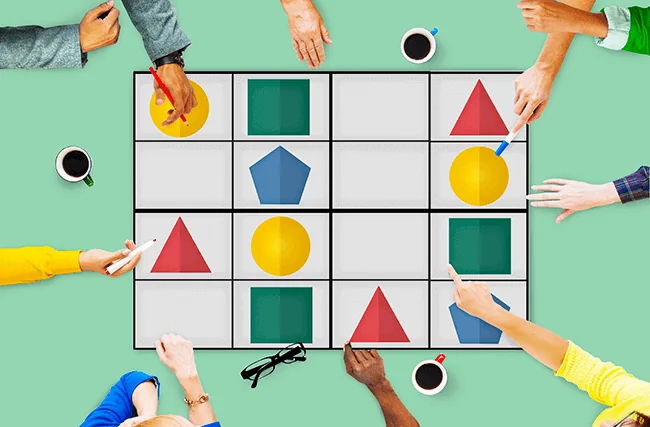
Online whiteboard games, sometimes called interactive whiteboard games, are short activities with simple rules that a group plays together on a shared digital canvas. Players draw, sort sticky notes, vote or race a timer. The games worth class or meeting time each run on a learning mechanism with research behind it. Drawing a word helps people remember it. Low-stakes quizzing improves exam results. Writing ideas in silence and in parallel produces more ideas than talking in turn. Competition works best when it is combined with collaboration. This guide matches 10 online whiteboard games to those four mechanisms and shows how to set each one up on the HuddleIQ online whiteboard.
What are online whiteboard games?
An online whiteboard game is an activity with a goal, a rule set and usually a time limit, played by several people on the same digital canvas at once. Unlike a quiz app, the board itself is the playing field. Everyone can see everyone else’s moves, and every drawing, note and vote stays on the board after the game ends.
That last point matters more than it sounds. A game played on a shared online whiteboard leaves a record. The sticky notes from a brainwriting round become the input for the next agenda item. The doodles from a vocabulary game become the class revision sheet. A good online whiteboard game is short, has a clear rule a newcomer can learn in under a minute, and finishes with something the group can use.
This guide is for one person in particular: a facilitator who has ten to fifteen minutes on a shared board at the start of a lesson or remote meeting and needs a game that does real work. That might be a teacher opening a hybrid lesson or a manager opening a weekly team call. Every game below was chosen because it does at least one job the research says groups benefit from.
Why do online whiteboard games work? The four mechanisms
Online whiteboard games work when the rules make players do something cognitively useful, such as drawing, recalling or writing in parallel, instead of just watching. Four mechanisms from published research explain most of the value.
Mechanism 1: Drawing helps people remember
Drawing a concept is one of the strongest simple memory strategies on record. In a series of experiments reported by the University of Waterloo on 20 April 2016, students often recalled more than twice as many words they had drawn as words they had written out. The researchers named this “the drawing effect”. Researcher Jeffrey Wammes summed up the result: “We pitted drawing against a number of other known encoding strategies, but drawing always came out on top.” The same report says the quality of the drawings did not affect memory, and that participants benefited even with just four seconds to draw.
Artistic skill is the most common reason people give for not joining a drawing game, so this finding matters for facilitators. On an online whiteboard with a pen tool, a stick figure does the job.
Mechanism 2: Recall beats re-reading
Retrieval practice means pulling information out of memory, for example by answering a quiz question, instead of reading it again. It is the mechanism behind every quiz-style whiteboard game. Henry Roediger, Pooja Agarwal, Mark McDaniel and Kathleen McDermott tested it in a real school. Their study, Test-Enhanced Learning in the Classroom (Journal of Experimental Psychology: Applied, 2011), followed sixth-grade social studies students at a suburban middle school. Low-stakes multiple-choice quizzes improved their performance on both chapter exams and semester exams, compared with material that was not quizzed.
“Low-stakes” is the key word. A whiteboard game turns a quiz into play: there are no marks, the answers are visible to the whole group and the round is over in minutes.
Mechanism 3: Writing in parallel beats talking in turn
In a spoken brainstorm only one person can talk at a time, so everyone else’s ideas queue up or get lost. Peter Heslin of SMU’s Cox School of Business summarised the problem: “when groups of people interact for the purpose of brainstorming, they significantly over-estimate their productivity and produce fewer unique ideas than nominal groups of people generating ideas alone.” His alternative is brainwriting, which “involves a group of people silently writing and sharing their written ideas”. He reports that this “yields superior idea generation than either non-sharing or nominal groups.”
A sticky-note board is a natural place to brainwrite. Everyone types at once, and everyone can read and build on everyone else’s notes as they appear. For more on running these sessions, see our guide to running a virtual brainstorming session.
Mechanism 4: Competition works best with collaboration
Pure competition can leave the less confident players behind. The strongest gamification designs mix competing with cooperating. Michael Sailer and Lisa Homner’s meta-analysis, The Gamification of Learning (Educational Psychology Review, 2020), found significant effects of gamification on cognitive (g = .49, k = 19, N = 1686), motivational (g = .36) and behavioural (g = .25) learning outcomes. The authors also found that “inclusion of game fiction and combining competition with collaboration were particularly effective” for behavioural outcomes, and that the combination “might also be valid for motivational learning outcomes.”
In practice, this means teams playing against teams. Each team works together inside its own area of the board and competes against the other areas.
Why the board, not just the camera
Video calls make people look at faces for long stretches. Stanford’s Virtual Human Interaction Lab publishes Jeremy Bailenson’s 2021 paper in Technology, Mind, and Behavior, which argues that “nonverbal overload” is a likely cause of Zoom fatigue. We think this is a strong reason to move the game itself onto the whiteboard. While a game runs, the group’s attention is on a shared task and a shared canvas, not on a grid of faces.
The Four-Mechanism Game Matrix
The Four-Mechanism Game Matrix is a quick way to choose an online whiteboard game. First decide what you need the group to do (remember, recall, generate or bond), then pick the game built on that mechanism. We built it from the four research findings above. The timings are our suggestions for a first run, not measured results.
| Game | Main mechanism | Best for | Suggested time | HuddleIQ tools used |
|---|---|---|---|---|
| 1. Sketch It, Name It | Drawing | Vocabulary, jargon, onboarding | 10 min | Pen, task timer |
| 2. Doodle Definitions | Drawing | Revising key terms | 10–15 min | Pen, sticky notes, containers |
| 3. Brain Dump Race | Recall | Lesson openers, project recaps | 5–8 min | Sticky notes, task timer |
| 4. Poll Showdown | Recall | Checking understanding | 5–10 min | Polls |
| 5. Silent Sticky Storm | Parallel writing | Idea generation | 10 min | Sticky notes, task timer |
| 6. Pass-Along Columns | Parallel writing | Building on others’ ideas | 15 min | Containers, sticky notes |
| 7. Team Build-Off | Competition + collaboration | Team bonding, design tasks | 15 min | Shapes, resource library, votes |
| 8. Dot-Vote Showdown | Competition + collaboration | Choosing between options | 5 min | Votes |
| 9. Two Truths and a Lie | Shared canvas, cameras optional | Icebreakers | 10 min | Sticky notes, polls |
| 10. Draw Your Desk | Drawing + shared canvas | New teams, first lessons | 8 min | Pen, task timer |
Read the matrix by row when you have a game in mind and want to know why it works. Read it by column when you have a goal (“we need ideas”, “they need to remember this”) and want the right game.
10 online whiteboard games, and how to run each one
Each game below lists the rule, why it works and how to set it up in HuddleIQ. They all run in a browser with no extra hardware, and HuddleIQ visitors can join a board from an invite link without registering.
1. Sketch It, Name It
One player gets a secret word and draws it with the pen tool. Everyone else types guesses into the board chat or on sticky notes. This is classic Pictionary, but every drawer is also encoding the word through drawing, which the Waterloo research found beats writing it out. Start a 60-second task timer for each round so the pace stays quick, and rotate the drawer.
2. Doodle Definitions
Give each student or team member a key term from today’s lesson or project, such as “photosynthesis”, “burn-down chart” or “GDPR consent”. They draw it in a container with no words allowed, and the group matches each doodle to its term. Because drawing quality does not affect the memory benefit, the weakest artist gains as much as the strongest. The Waterloo experiments tested single words, so single-word terms are the safest fit; for a longer term, ask players to draw its core idea. Afterwards, keep the board as a revision page.
3. Brain Dump Race
Set a five-minute timer and ask the group to post everything they remember about last week’s topic, one fact per sticky note. When the timer ends, cluster duplicates and point out anything missing. This is retrieval practice in its simplest form: no marks, all answers public, done in minutes. The sticky notes in HuddleIQ support rich text and colours, and on the education plan maths equations too, so a maths class can post formulas and not just words.
4. Poll Showdown
Ask three to five multiple-choice questions using HuddleIQ polls. The person who creates the poll sets the duration and the answer options, sees results arrive live, and decides who can see the final results. Hiding results until everyone has answered stops players copying the crowd. Then reveal the results and discuss any question the group split on. This follows the format Roediger and colleagues used in a real classroom: short, low-stakes, multiple-choice.
5. Silent Sticky Storm
Pose one question (“How could we halve onboarding time?” or “What caused the First World War?”) and set a ten-minute timer. Ground rule: nobody speaks; everyone writes, one idea per sticky note, and reads the others’ notes as they appear. This is brainwriting as Heslin describes it, with silent, written and shared ideas, and it removes the speaking queue that holds back spoken brainstorms. Group the notes once the timer ends.
6. Pass-Along Columns
Draw one container per person on the board. Each player adds three ideas to their own column, then moves one column to the right and builds on what they find there. Rotate until everyone has added to every column. This rotating form of brainwriting makes players develop other people’s ideas instead of defending their own. With HuddleIQ’s real-time cursors, the facilitator can see who is stuck and nudge them along.
7. Team Build-Off
Split the board into one area per team and set a design brief: “a mascot for our product”, “a poster explaining the water cycle” or “the ideal office for a hybrid team”. Teams build with shapes, images and icons from the resource library against a 15-minute timer. Then everyone votes on the results. Teammates collaborate inside each area and compete across areas, which is the combination Sailer and Homner’s meta-analysis found especially effective. For more team ideas, see our list of virtual team-building ideas.
8. Dot-Vote Showdown
After any idea-generation game, select the best few notes and start a HuddleIQ vote. The vote creator can cap the votes per item and the total votes per person, set how long the vote stays open, and extend or shorten it while it runs. Participants cannot see live results while voting, so early votes do not sway later ones. The vote creator watches results come in and reveals the winner. It is quick and fair, and it turns a pile of ideas into a decision.
9. Two Truths and a Lie
Each person posts three statements about themselves on sticky notes, and the group uses a poll to guess the lie. The game works with cameras on or off, because all the action is on the canvas. That makes it a good opener for a team that is tired of video calls. Leave the board up after the game; it becomes an informal “who’s who” for new joiners.
10. Draw Your Desk
Give everyone eight minutes to sketch their workspace (or, for students, their ideal classroom) with the pen tool, then take a quick tour of the board. It combines the low-pressure drawing of game 1 with the personal sharing of game 9. Because drawing skill does not matter for the memory benefit, nobody has an excuse to sit out. The sketches also give new teammates easy things to ask each other about.
How do you run an online whiteboard game in 15 minutes?
Choose the game from the matrix, prepare the board before people arrive and keep the rules to one sentence. The five steps below fit a 15-minute slot.
- Pick by mechanism (1 minute). Decide whether the group needs to remember, recall, generate or bond, and take the matching game from the Four-Mechanism Game Matrix.
- Prepare the board (before the session). Add containers, a title and the rule in one sentence. HuddleIQ’s library of 200+ templates and your own saved templates mean you build the layout once and reuse it.
- Share the link (1 minute). Send the invite link. Visitors can join from it without creating an account, with the role you choose: viewer, commentator or editor.
- Run it against the clock (8–10 minutes). Start the task timer so the countdown shows in the top-right corner of every player’s screen, with an optional sound when time runs out. The host can pause or adjust the timer if a round needs longer.
- Turn the output into the next step (3 minutes). Vote on the ideas, sort the recall notes into “solid” and “shaky”, or export the board. Board history keeps earlier versions if anything needs restoring.
Step 5 is what separates a game from filler. The game should hand the next part of the session something to work with.
Which online whiteboard games work best in classrooms?
In classrooms, use drawing and recall games: Sketch It, Name It, Doodle Definitions, Brain Dump Race and Poll Showdown. These rely directly on the drawing effect and on classroom-tested retrieval practice.
A practical pattern is to open a lesson with a Brain Dump Race on last lesson’s content and close it with Doodle Definitions on today’s new terms. Students practise recall at the start and draw at the end, and the board becomes a revision resource they can come back to. Teachers can find more lesson-ready approaches on our online whiteboard for teachers page. For group work, see our ideas for organising student group projects.
Cost matters for schools. HuddleIQ’s Education Free plan gives eligible teachers, lecturers, students and school staff unlimited whiteboards, up to 50 team members, 30 guest slots, built-in video conferencing and 200+ templates at no cost. You need to sign up through the HuddleIQ education page to get it.
Which online whiteboard games work best for remote teams?
Remote teams get the most from parallel-writing and team-versus-team games: Silent Sticky Storm, Pass-Along Columns, Team Build-Off and Dot-Vote Showdown. They produce ideas and decisions, not just goodwill.
The trick for a team is to make the game part of the agenda, not a warm-up before it. A Silent Sticky Storm on a real problem, followed by a Dot-Vote Showdown, is a ten-minute decision process that happens to be fun. Save the purely social games (Two Truths and a Lie, Draw Your Desk) for new teams and the first meeting after a reorganisation. For wider meeting technique, see how to increase engagement in virtual meetings.
HuddleIQ includes video conferencing with screen sharing on the board itself, so a team can play, talk and decide in one tab instead of switching between a call and a separate canvas.
What do you need to play online whiteboard games?
You need a device with a web browser, an internet connection and an online whiteboard that every player can edit at the same time. A tablet with a stylus makes the drawing games more natural but is not required.
On HuddleIQ, the tools these games use (task timer, votes and sticky notes) are included on the Free Forever plan as well as the Education Free, Standard and Premium plans. The infinite canvas leaves room to run several games on one board, and presentation mode turns the finished board into a slideshow for the debrief. The full toolset is listed on the HuddleIQ features page.
Can you play these games on Miro, MURAL or FigJam?
Yes. The Four-Mechanism Game Matrix works with any tool, and most of these games run on any shared canvas, including Miro, MURAL, FigJam, Lucidspark and Collaboard. What to check in any tool is whether the timer, voting, polling, video and guest access are built in, so you do not need a second app mid-game.
HuddleIQ puts the timer, votes, polls, video conferencing and invite-link visitor access on the same board. If you are comparing tools, our HuddleIQ vs Miro comparison and our guide to choosing an online whiteboard go into detail.
Frequently asked questions about online whiteboard games
What is the best online whiteboard game for a first session?
Two Truths and a Lie or Draw Your Desk. Both have one-sentence rules, need no subject knowledge and give everyone an equal turn. They also show newcomers how sticky notes, polls and the pen tool work before you run a game with a learning goal.
Do players need to be good at drawing?
No. The University of Waterloo team behind the drawing effect reported that drawing quality did not affect memory performance, and that even four seconds of drawing helped. Stick figures are fine.
How long should an online whiteboard game last?
Most games in this guide fit into 5 to 15 minutes. Set the task timer so everyone sees the countdown, and stop while energy is still high. A short game that feeds into real work beats a long one that becomes the session.
Are online whiteboard games useful for adults, or only for students?
Both. The retrieval-practice and drawing studies cited here were run with school and university students. Brainwriting research, such as Heslin’s work, comes from management and organisational psychology. Use Brain Dump Race for training recaps and Silent Sticky Storm for team ideation.
Can students join without creating an account?
Yes. HuddleIQ visitors can open a board from an invite link without registering, and the board owner sets them as a viewer, commentator or editor. Teachers who want students on the board as full members can use the Education Free plan.
Pick one game from the matrix, build it once as a template on a free HuddleIQ board, and run it at the start of your next lesson or meeting.
Ready to Collaborate Better?
Try HuddleIQ free and transform how your team works together.
Get Started Free