
Online Whiteboard Market Report 2026: Prices, Limits, Research and History
Updated September 2026
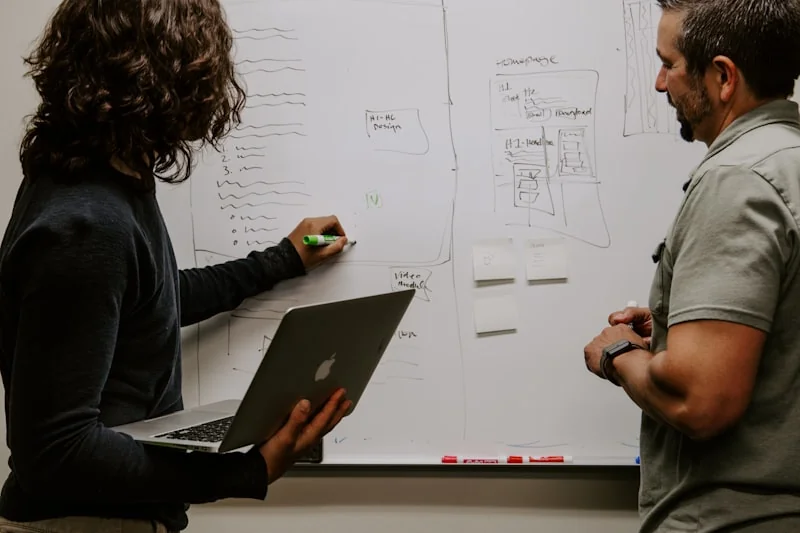
An online whiteboard in 2026 costs between nothing and about US$20 per person per month for the mainstream tools (Miro Business, checked 5 September 2026), the largest vendor documents a practical ceiling of around 300 simultaneous editors on one board, and the peer-reviewed reason these tools beat a meeting is that they remove production blocking, the turn-taking loss that Diehl and Stroebe measured in 1987. This report puts every price, limit and research finding beside its source, with the date we checked it. We build the HuddleIQ online whiteboard, so read the competitor sections as a rival’s audit, not a neutral review; every figure is linked so you can check it.
Correction record. An earlier version of this page presented a single clustered keyword estimate as five separately measured numbers and included competitor backlink data that had no place in a reader-facing guide. Both were removed in July 2026. This September 2026 revision re-verified every price against the vendor’s own page, dropped every figure whose primary source could not be read, and corrected one research statistic that had been misquoted.
What does an online whiteboard cost in 2026?
For a paid seat, the mainstream tools range from Excalidraw Plus at US$6 per user per month to Miro Business at US$20 per member per month billed yearly. Every vendor in the table offers a free tier, and the free tiers differ mainly in how many boards you can edit at once. The table is the 2026 Online Whiteboard Price and Limits Matrix; every cell was read from the linked vendor page on 5 September 2026. Prices move, so treat the link as the authority and the number as a snapshot.
| Tool | Free tier (5 Sep 2026) | Entry paid tier | Higher tiers | Source |
|---|---|---|---|---|
| Miro | US$0, 3 editable boards, 10 AI credits/month | Starter US$8/member/month billed yearly, unlimited boards, 25 AI credits | Business US$20/member/month yearly (50 AI credits, SSO); Enterprise custom, minimum 30 members, from 2,500 AI credits | Miro pricing |
| FigJam (Figma) | Starter: unlimited drafts, 150 AI credits/day up to 500/month | Professional: Collab seat US$3/month, Dev seat US$12, Full seat US$16 (3,000 AI credits) | Organization Full seat US$55/month; Enterprise Full seat US$90/month; both annual only; FigJam included in every paid seat | Figma pricing |
| Mural | US$0, unlimited murals with 3 editable at a time, unlimited view-only visitors | Team+ US$9.99/member/month annual (US$12 monthly), unlimited editable murals, Mural AI | Business US$17.99/member/month annual (SSO, unlimited external users); Enterprise contact sales | Mural pricing |
| Excalidraw | excalidraw.com is free with no account; the hosted free tier gives one infinite scene and unlimited collaborators | Excalidraw Plus US$6/user/month billed monthly; annual billing saves 14% | None; the core editor is MIT-licensed and self-hostable | Excalidraw Plus pricing |
| Microsoft Whiteboard | Free with a Microsoft account or any Microsoft 365 account; the standalone Windows, iOS and Android apps retire on 16 October 2026, after which it continues in Teams and on the web | No whiteboard-only paid tier exists; extra collaboration features come with a Microsoft 365 subscription | Not applicable | Microsoft Support |
| Lucidspark | Free tier plus Individual, Team and Enterprise plans | Prices are rendered client-side and could not be read by our checker on 5 September 2026; we quote none | See vendor page | Lucidspark pricing |
| HuddleIQ (first-party) | US$0 forever, 3 whiteboards, 3 team members, 200 objects per board | Standard US$9.50/member/month (US$7 annual), unlimited boards | Premium US$16/member/month (US$12 annual), 500 GB storage, all integrations; free unlimited boards for .edu emails | HuddleIQ pricing |
Three things the table hides. First, the Figma seat model changed on 11 March 2025: Figma’s billing update moved every customer to Full, Dev, Collab and View seats and stated that “all paid seats will include access to FigJam and Figma Slides”, so FigJam is no longer bought on its own (Figma, December 2024). Second, Miro’s Enterprise plan has a 30-member minimum, which rules it out for small teams regardless of price. Third, “unlimited visitors” on the Mural and Figma free tiers means view or comment access, not editing.
How many people can edit one board at the same time?
Miro is the only major vendor that publishes a number. Its help centre states that the largest session it has hosted had 377 users, that around 200 editors and commenters on one board is a scenario it sees “almost every week”, that it is “too early for us to say that everyone’s experience will be [smooth] if you go over 300 collaborators”, and that the technical maximum is 1,000 connections to a single board (Miro Help Center, read 5 September 2026). The same page says boards slow gradually as users are added and that older devices slow first.
No comparable published ceiling was found for FigJam, Mural, Lucidspark or Microsoft Whiteboard. Excalidraw’s hosted free tier advertises unlimited collaborators but publishes no tested figure (Excalidraw Plus pricing). For a lecture of 250 students or a company-wide workshop, Miro’s documented 300-editor comfort zone is the only vendor-stated capacity in the category, and it is the reason the number sits in the lead paragraph of this report.
Which whiteboard fits which team?
The short answer: Miro for organisations that need the deepest integration list and are willing to manage seat billing; FigJam for teams already paying for Figma; Microsoft Whiteboard for Teams-centred organisations that want a free scratchpad; Excalidraw for developers who want a fast, local-first diagram tool; Mural for facilitated enterprise workshops; HuddleIQ for classrooms and small teams that want video conferencing built into the board. The sections below give the evidence behind each.
Miro
Miro’s 2026 direction is agent tooling on the canvas. At its Canvas 26 event in May 2026 it launched agentic “Sidekicks”, “Flows” for repeatable multi-step processes, and “Connectors” to Slack, GitHub, Amplitude and others (Miro, May 2026). Its trust centre lists ISO/IEC 42001:2023 for AI management alongside ISO/IEC 27001:2022, SOC 2 Type II, SOC 3, UK Cyber Essentials and Data Privacy Framework membership, enforces TLS 1.2 or higher in transit, and offers data residency in Australia, the EU, the US and Japan (Miro Trust Center). On the review side, TrustRadius shows an aggregate score of 9 out of 10 from 9,884 ratings as of 5 September 2026 (TrustRadius); G2 blocked our automated read, so we quote no G2 figure.
Best for cross-functional product, design and operations teams. The 30-member Enterprise minimum and the per-member billing make it a poor fit for a solo user or a five-person team.
FigJam
FigJam is a companion to Figma Design rather than a standalone purchase since the March 2025 seat change. Its collaboration engine is the one Figma described in its 2019 multiplayer article, covered under “How do online whiteboards work?” below. The friction point is account creation: a Full, Dev or Collab seat is a Figma seat, so a stakeholder outside the design organisation is a Figma user first and a whiteboard user second (Figma pricing).
Best for design and product teams already on Figma. Weak as a standalone whiteboard for an organisation that is not.
Microsoft Whiteboard
Microsoft Whiteboard runs on a Microsoft account or any Microsoft 365 account, with no whiteboard-only paid tier. Microsoft states that “The standalone Microsoft Whiteboard apps for Windows, iOS, and Android retire on October 16, 2026”, and that for work or school accounts “Microsoft Whiteboard is not retiring. Users can continue using Whiteboard in Microsoft Teams and on the web” (Microsoft Support). Its differentiator is that it lives inside Teams meetings and Microsoft 365 admin tooling; Microsoft Learn documents where board data is stored in Azure and OneDrive for Business and how to deploy it with Intune (Microsoft Learn). Its accessibility guidance carries a caveat that matters for classrooms: “Using text boxes, shapes, or sticky notes are more accessible for screen readers than using ink for handwriting and diagrams”, and alt text has to be added by hand (Microsoft Support).
Best for Microsoft 365 organisations that want a free scratchpad inside Teams. Not a facilitation or diagramming tool.
Excalidraw
Excalidraw’s core editor is released under the MIT licence, works offline as a progressive web app, autosaves to the browser, offers end-to-end encrypted collaboration, and exports to PNG, SVG and its own .excalidraw JSON (Excalidraw on GitHub). It is the only tool in this report whose offline behaviour is a design goal rather than a fallback. Integrations are minimal by design; Notion and Obsidian are listed on the project’s own page, and there is no native Jira, Slack or Zoom integration.
Best for developers and technical teams drawing quick diagrams, especially where data must stay on-premises. Not built for large facilitated workshops.
Mural
Mural’s free tier allows three editable murals at a time with unlimited view-only visitors; Team+ and Business add unlimited editable murals, Mural AI and, on Business, SSO and unlimited external editors (Mural pricing). Its security page lists SOC 2 Type 2, SOC 3, ISO 27001 and ISO 42001, states that customer data is stored in the United States on Microsoft Azure by default, and offers per-workspace data residency and bring-your-own-key encryption to Enterprise customers (Mural security).
Best for enterprise design-thinking teams running structured, facilitated workshops. Overpriced for casual brainstorming.
HuddleIQ
HuddleIQ is our product, so this is a statement of what it is rather than a review. It is an online whiteboard with video conferencing included on every plan, including the free one; the free plan gives 3 whiteboards for up to 3 team members with 200 objects per board, Standard is US$9.50 per member per month (US$7 billed annually) with unlimited boards, and Premium is US$16 per member per month (US$12 annually) with all integrations and 500 GB of storage; educators with a .edu address get unlimited boards free (HuddleIQ pricing, first-party). It is built for the classroom and small-team cases described under “What does the research say?”, and the education page and online whiteboard hub describe those uses.
What happened to Google Jamboard?
Google Jamboard is gone. Google’s own timeline puts the end of licence sales and automatic updates at 30 September 2024 and the end of creating or modifying Jams at 1 October 2024; remaining Jams were converted to PDF files in Google Drive during 2025 (Google Jamboard Help). Cornell University’s IT service, writing on 18 October 2023, recorded that the app went read-only on 1 October 2024, was unavailable after 31 December 2024, and that Google named FigJam, Lucidspark and Miro as its whiteboard partners with import paths for Jam files (Cornell IT).
A school that still holds only the auto-generated PDFs has a static archive, not an editable board. Re-creating the content in a replacement tool is manual work, and the three named partners built the only Jam-import tooling.
What does the research say each use case needs?
The generic “collaboration” pitch hides five different jobs. For two of them, brainstorming and design workshops, there is primary research or a recognised practitioner body with explicit guidance. For the other three the evidence is practitioner reporting, and this section says so.
Remote brainstorming: the peer-reviewed case
Diehl and Stroebe ran four experiments and concluded that “production blocking accounted for most of the productivity loss of real brainstorming groups”: in a spoken meeting only one person can talk, and people forget or suppress ideas while they wait (Diehl and Stroebe, Journal of Personality and Social Psychology, 1987). A shared canvas where everyone types at once is the direct fix, which is why simultaneous multi-cursor entry is the single feature this report weights most heavily.
Anonymity adds a second measured effect. Cooper, Gallupe, Pollard and Cadsby assigned groups to anonymous electronic, non-anonymous electronic, verbal and nominal conditions and “found clear evidence that anonymous brainstorming groups produced more nonredundant ideas than did nonanonymous brainstorming groups”, with some evidence of more controversial ideas as well (Cooper et al., Small Group Research, 1998). An anonymous-contribution mode is therefore an evidence-backed feature, not a comfort setting.
Group size flips the usual intuition. A Sandia National Laboratories review of the electronic brainstorming literature, prepared for the US Department of Energy, summarises that most studies used groups of three or four people with mixed results, while “researchers who have studied larger groups (12+ people) have found that EBS was superior to nominal brainstorming”, citing Gallupe and colleagues’ Academy of Management Journal study on group size among others (Stevens et al., SAND2007-5947, 2007; Gallupe et al., 1992). The same review is candid that several studies found individuals working alone matched or beat electronic groups, so the honest claim is narrow: a real-time anonymous board removes two documented drags on group output, and it earns its keep most clearly in large sessions.
An earlier version of this page quoted a 23% output gain from a social-comparison feature. We could not read the primary abstract behind that figure (Shepherd et al., Journal of Management Information Systems, 1995) on 5 September 2026, so it has been removed rather than repeated.
Design thinking and UX workshops
Nielsen Norman Group’s guidance is specific enough to map onto features. For affinity diagramming, participants write ideas on sticky notes independently for “typically 5-10 minutes”, then cluster and prioritise as a group; the authors state that “the discussions that occurred while building the diagram are more impactful than the final format of the diagram” and warn not to “discount a small cluster just because it has few sticky notes” (Krause and Pernice, NN/g, 2024). The tool’s job is therefore frictionless rearrangement, not a pretty artefact.
For dot voting, NN/g recommends giving “each individual roughly a number of votes equal to roughly a quarter of the total number of options available”, names three failure modes (persuaded voting, split voting and group voting), and prescribes anonymous voting, numbered dots for weighting, and drawing shapes on coloured dots so colourblind participants can read them (Gibbons, NN/g, 2019, reviewed August 2026). A whiteboard’s voting feature either supports hidden simultaneous votes, weights and colourblind-safe markers or it does not; that is a checklist, not a preference.
Education and the classroom
The classroom workflow is multi-hand interaction, not a single shared canvas. EdTech Magazine’s K-12 best-practice guide documents interactive panels configured so that “up to four users” can write on the board concurrently, and teachers engaging with students’ shared device screens from the panel so the teacher is not tethered to the front of the room (EdTech Magazine, May 2023). The same article cites an Atatürk University study finding that “students who learned using an interactive whiteboard performed better on standardized examinations than those who didn’t use the technology”; that study concerns display hardware, so its transfer to cloud whiteboard software is inference, not proof.
Accessibility is the gap the vendors themselves document. Microsoft’s guidance that ink is less accessible to screen readers than text, shapes and sticky notes applies to every tool in this report that supports freehand drawing, which is all of them. A hybrid lesson therefore needs a text-or-shape alternative for anything drawn by hand, and a teacher-side lock so a roaming teacher keeps control of the displayed content.
Agile and Scrum teams
Each ceremony stresses a different capability. Retrospectives need clustering of notes by colour or tag, anonymous entry with a timer, and conversion of a sticky note into a tracked task; sprint planning needs backlog import and two-way sync with Jira or Azure DevOps so the board is not a photograph nobody revisits. Miro’s Business plan and Lucidspark both advertise two-way Jira sync; the free tiers of all tools in the matrix do not. This section is practitioner consensus rather than research, and the anonymous-entry point inherits the Cooper et al. evidence above.
Corporate training and onboarding
The evidence here is thinner than for the two research-backed cases, and this report does not claim measured learning outcomes. The documented pattern is the “welcome board” (personal messages, team photos, a visual company history) as a new hire’s first interactive touchpoint, and the practical requirement is integration with the conferencing stack the organisation already uses, because training is run through Teams, Zoom or Google Meet rather than in a standalone tool.
The seven properties that matter across every use case
- Simultaneous multi-user entry, the mechanism that removes production blocking (Diehl and Stroebe, 1987).
- Anonymous and private-then-reveal modes, which raised non-redundant idea counts in Cooper et al. (1998) and are NN/g’s first dot-voting mitigation.
- Structured voting with weights and colourblind-safe markers, per NN/g’s dot-voting parameters.
- Clustering and labelled grouping, the affinity-diagram step that turns notes into themes.
- Two-way integration with the team’s system of record, Jira or Azure DevOps for agile teams, Teams or Zoom for training and education.
- A persistent infinite canvas, so a session becomes a revisitable artefact.
- A non-ink path for every piece of content, because ink is the one content type every vendor’s accessibility guidance flags.
How do online whiteboards work under the hood?
Most vendors treat their engine as competitive property. Figma, Miro and Atlassian have published real engineering detail, and where that primary sourcing exists it is used here; where it does not, this section says “not published” rather than guessing.
How is real-time sync done?
Figma’s co-founder Evan Wallace wrote in 2019 that Figma rejected operational transformation because “OTs were unnecessarily complex for our problem space”, and that “Figma isn’t using true CRDTs though” because a central server lets it simplify: the server keeps “the latest value that any client has sent for a given property on a given object” (last-writer-wins per property), every document is “a tree of objects, similar to the HTML DOM”, clients talk to servers over WebSockets, and child ordering uses fractional indexing, “a fraction between 0 and 1 exclusive” (Wallace, Figma, October 2019). That article remains the most detailed public description of a whiteboard sync engine from any vendor in this report. Miro publishes an engineering blog but no comparable sync deep-dive was found. Excalidraw’s collaboration is end-to-end encrypted per its repository, and its open source lets anyone read the implementation (Excalidraw on GitHub).
How is an infinite canvas rendered?
Figma’s renderer is “written in C++” and compiled “to WebAssembly (Wasm) using Emscripten”; in September 2025 the team moved it from WebGL to WebGPU for compute shaders “that can be used to move work off the CPU and onto the GPU”, while warning that “just moving from WebGL to WebGPU by itself isn’t guaranteed to improve performance” (Ringlein and Anderson, Figma, September 2025).
Atlassian’s Confluence Whiteboards use WebGL2 and “a sparse tile data structure to break up the ‘infinite’ digital canvas into regions 2048 x 2048 in size”, with a tiling map “capable of 8 million add operations and 5 million query operations per second”, and render only entities inside visible tiles (Kishore, Atlassian Engineering, August 2023).
Miro published a memory case study after iPad users drawing with the pen tool hit crashes: storing curve points as typed arrays instead of point objects “reduced their memory consumption by a factor of 3”, the combined optimisations “reduced memory consumption by ~40%”, related support tickets fell from about 13 to about 7 per month, and memory-limit alerts dropped from 21,000 to 15,000 per month (Rudenko, Miro Engineering). Viewport culling, rendering only what is on screen, appears in both the Atlassian and Miro accounts and is the shared technique across the category.
What works offline?
Figma’s help centre states that offline you can work on “the current page of your open files, as well as any additional pages in those files that were loaded while online”, that offline changes are kept for 30 days in Chrome and Firefox but 7 days in Safari, and that on reconnection you “Click Open to sync” (Figma Help Center). Excalidraw works offline by design as a progressive web app that autosaves to the browser (Excalidraw on GitHub). No vendor in this report publishes how conflicting edits made offline are merged on reconnect beyond Figma’s last-writer-wins description.
Which certifications does each vendor hold?
| Vendor (page read 5 Sep 2026) | Certifications stated on the vendor’s own page | Encryption and keys | Data residency |
|---|---|---|---|
| Miro | ISO/IEC 42001:2023, ISO/IEC 27001:2022, SOC 2 Type II, SOC 3, UK Cyber Essentials, Data Privacy Framework | TLS 1.2 or higher in transit; provider-managed keys at rest; bring-your-own-key for Enterprise | Australia, EU, US, Japan |
| Figma | SOC 2 Type 2, SOC 3, ISO/IEC 27001:2022, ISO/IEC 27018:2019, ISO 27017, ISO 27701, ISO/IEC 42001:2023, EU Cloud Code of Conduct, C5, TISAX, FedRAMP Authorized | Not stated on the security page | Not stated on the security page |
| Mural | SOC 2 Type 2, SOC 3, ISO 27001, ISO 42001, Microsoft 365 certification, Microsoft SSPA | Bring-your-own-key on Enterprise | US on Microsoft Azure by default; per-workspace residency on Enterprise |
How accessible are they?
Miro states “We strive to meet WCAG 2.2 AA standards”, updates its accessibility conformance report every year, and says board objects are “perceivable and editable for screen reader and voice control users” (Miro Accessibility); its help centre documents linear, spatial and hierarchical keyboard navigation of board objects (Miro Help Center). Microsoft’s guidance, quoted above, is explicit that ink is the weak point. Neither Figma’s security page nor Mural’s names an accessibility standard, and no accessibility statement for Mural was found in this research; that is an unfilled gap, not evidence either way.
How did the category get here?
The shared digital workspace is older than the personal computer. On 9 December 1968 Douglas Engelbart demonstrated the oN-Line System, with members of his lab teleconferenced in from SRI thirty miles away, in the session later called “the mother of all demos” (Doug Engelbart Institute). On the hardware side, SMART Technologies (founded 1987) shipped the first SMART Board interactive whiteboard in 1991, a fact we could confirm only through secondary sources (Wikipedia).
The browser-based canvas dates from the 2010s. Miro was founded in 2011 as RealtimeBoard (Miro, About) and announced on 7 March 2019 that “as of March 6, 2019 … RealtimeBoard is now called Miro” (Miro blog). Microsoft Whiteboard reached general availability for Windows on 12 July 2018 (Microsoft Tech Community).
How big was the pandemic surge?
Miro’s own funding disclosures bracket it. On 5 January 2022 Miro announced a US$400 million Series C at a US$17.5 billion post-money valuation and stated that since its April 2020 Series B it had “increased its user base by 500% (from 5M to 30M)” and its “paying customer base by 550% (from 20,000 to 130,000)”, and that it “works with 99% of Fortune 100 companies” (Miro newsroom, January 2022). Those two growth figures, between April 2020 and January 2022, are the cleanest vendor-stated quantification of the pandemic adoption surge available for this category.
Why did FigJam stop being a separate product?
Figma announced on 10 December 2024 that from 11 March 2025 existing plans would migrate to Full, Dev, Collab and View seats, that “all paid seats will include access to FigJam and Figma Slides”, and that Full-seat price increases would apply at the first renewal on or after that date; its stated rationale was that the product had expanded since 2016 while “our billing experience hasn’t kept pace” (Stern, Figma, December 2024).
Where is the category going in 2026?
The 2026 direction is the canvas as a workspace for AI agents rather than a drawing surface. Miro’s Canvas 26 launches in May 2026 put agentic Sidekicks, repeatable Flows and system Connectors on the board (Miro, May 2026). Lucid announced in March 2026 that Lucid AI is available in both Lucidspark and Lucidchart with voice-to-text prompts and video-transcript ingestion (Lucid community, March 2026). The certification tables above show the parallel move: three of the four vendors with a published trust page now list ISO/IEC 42001, the AI management standard, beside ISO 27001.
Frequently asked questions
Which online whiteboard is free with no account?
Excalidraw at excalidraw.com opens with no sign-up and saves to the browser (Excalidraw on GitHub). Every other tool in the matrix, including HuddleIQ, requires an account for its free tier; Miro, Mural and Figma limit free editing to three boards or three editable murals at a time.
What is the maximum number of people on one Miro board?
Miro documents a technical maximum of 1,000 connections, states that around 200 simultaneous editors is common, and does not promise a smooth experience above 300 collaborators (Miro Help Center). No other vendor in this report publishes a comparable number.
Do online whiteboards work offline?
Partially, and Figma’s help centre is the most precise: only already-loaded pages, changes kept 30 days in Chrome and Firefox and 7 days in Safari (Figma Help Center). Excalidraw is the exception, built to work offline as a progressive web app.
Is an online whiteboard better than a spoken brainstorm?
For idea count in groups, the peer-reviewed answer is yes when the board lets everyone contribute at once and anonymously: production blocking accounts for most of the loss in spoken groups (Diehl and Stroebe, 1987) and anonymous electronic groups produce more non-redundant ideas (Cooper et al., 1998). The advantage is clearest in groups of twelve or more and can vanish in groups of three or four (Stevens et al., Sandia, 2007).
Can I still open my Google Jamboard files?
Only as PDFs. Google converted remaining Jams to PDF in Google Drive during 2025 and the app stopped accepting edits on 1 October 2024 (Google Jamboard Help). FigJam, Lucidspark and Miro built import tools for Jam files before the shutdown (Cornell IT).
Sources
Primary vendor pages, all read on 5 September 2026: Miro pricing, Miro Trust Center, Miro Accessibility, Miro Help Center on simultaneous users, Figma pricing, Figma security, Figma offline help, Mural pricing, Mural security, Excalidraw Plus pricing, Excalidraw repository, Microsoft Support, Google Jamboard Help. Engineering: Figma multiplayer (2019), Figma WebGPU (2025), Atlassian rendering (2023), Miro memory case study. Research: Diehl and Stroebe 1987, Cooper et al. 1998, Gallupe et al. 1992, Stevens et al., Sandia National Laboratories 2007, NN/g affinity diagramming, NN/g dot voting, EdTech Magazine 2023, Cornell IT 2023. Lucidspark prices, G2 review counts, Gartner analyst text and the earlier 23% social-comparison figure were dropped because their primary pages could not be read on the check date.
Related reading on this site: how to choose an online whiteboard, running a virtual brainstorming session, and online whiteboards for teaching. To test the classroom and small-team case yourself, the HuddleIQ online whiteboard hub describes the free plan and the education page covers free unlimited boards for .edu addresses.
Ready to Collaborate Better?
Try HuddleIQ free and transform how your team works together.
Get Started Free